
Simulate Natural Brush with Artweaver
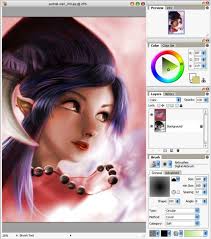 Artweaver is a simple Freeware program for creative painting, i.e. Artweaver offers you all artistic effects which you need for your work.
You can create sketches from photos and experiment with a wide range of brushes. The brush simulation is thereby so realistic as possible.
Artweaver is available in English and German language. Through support for language files, the Artweaver program window can be translated easily into other languages.
Artweaver Features
- Support of many different digital brushes e.g. chalk, charcoal, pencils...
- A wide variety of adjustment settings to customize the default brushes or to create new brushes.
- Standard image editing tools like gradient, crop, fill and selection tools.
- Support for the most common file formats like AWD (Artweaver), BMP, GIF, JPEG, PCX, TGA, TIFF, PNG, and PSD.
- Transparency and Layers support.
- Effect filters like sharpen, blur, emboss and mosaic.
- Editable text layers.
- Pen Tablet support for a realistic feeling.
- History function to und/redo last editing steps.
- Expandable by Plug-In modules (Artweaver Standard).
- Support for many languages through language files.
- Windows 2000, Windows XP or Windows Vista.
- Pentium compatible processor, 600 MHz or greater (1000 MHz recommended).
- 128 MB RAM (256 MB recommended).
- 30 MB of available hard disk space.
- 800*600 pixels or greater monitor resolution (1024*768 pixels recommended).
- 15-bit color display (24-bit recommended).
- A Pen Tablet is recommended.


0 komentar:
Posting Komentar